
We’re excited to announce the release of BrainAccess Mobile, a new app that brings the core functionality of BrainAccess Board to your phone or tablet, including full-featured EEG acquisition and device control, wherever you work.
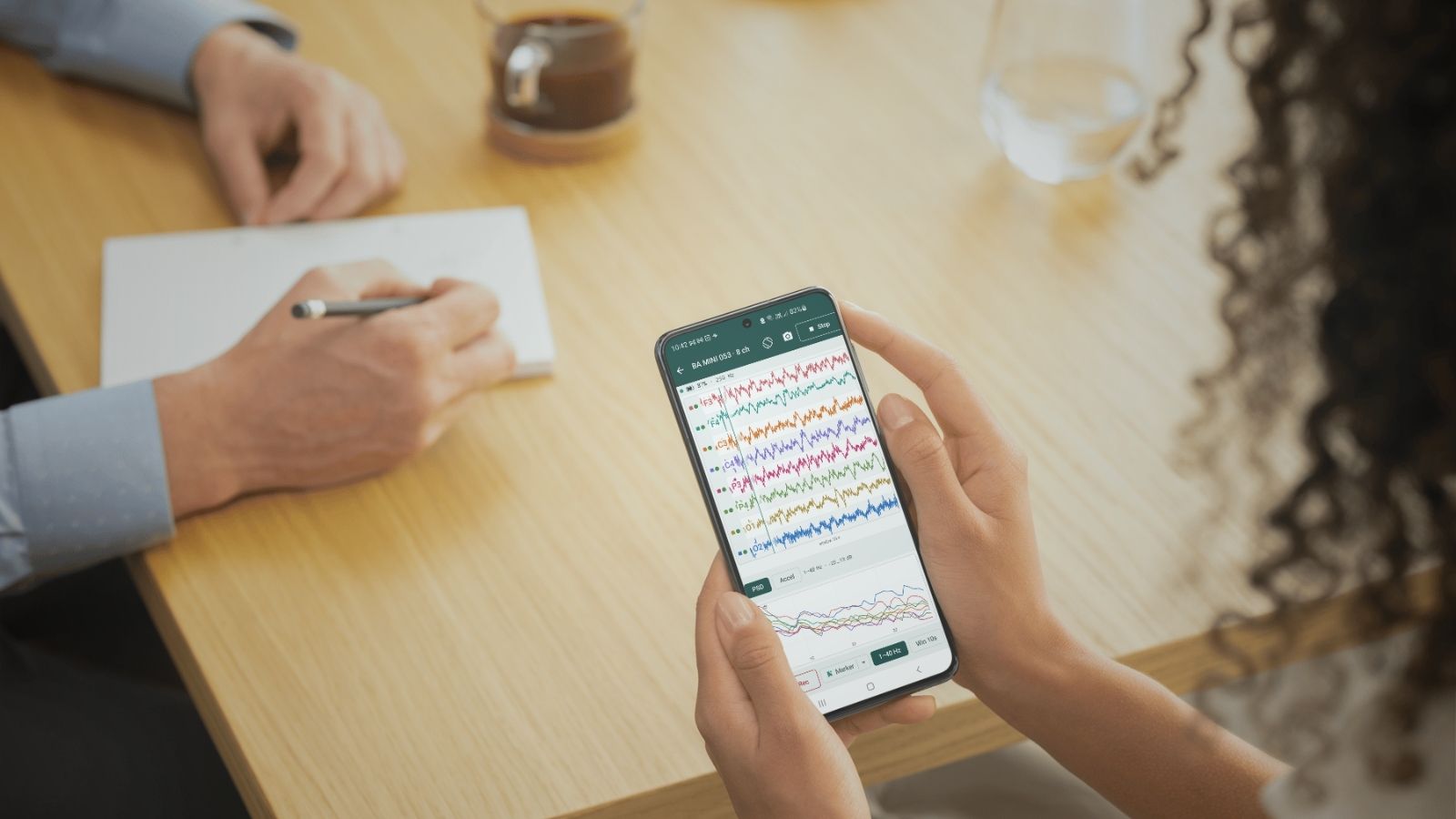
In this new release, we present BrainAccess Mobile, the new addition to our free software suite. The new app, available for Android 7+, gives you a complete interface for working with BrainAccess hardware, no computer required. BrainAccess Mobile puts device setup, EEG acquisition, signal monitoring, recording, and data management directly in your pocket.
What You Can Do With BrainAccess Mobile
- Connect one or more EEG devices via Bluetooth.
- Stream and record data on the go, wherever your work takes you.
- Save data locally or stream it to a PC via Lab Streaming Layer (LSL).
- Visualize the signal and get quality insights in a customizable viewer.
- Check electrode contact with a dedicated impedance mode.
- Replay and share recordings stored on your phone to review them any time or send them to other devices.

Some Applications

EEG on the go
Applications outside the lab where you want to track mental states such as stress, relaxation, or fatigue in real-world settings.

Hyperscanning
Measuring synchronization between the brain activity of two or more people during a shared activity.

Sleep research
Overnight monitoring of specific sleep-related events. Easy setup, no need to sleep next to bulky equipment or a laptop.
💡 When to Use a Computer Instead
BrainAccess Mobile is not designed for experiments that require precise pairing between stimuli and brain responses, such as ERP or P300 paradigms. For these applications, we recommend using a computer or pairing the app with the BrainAccess Board desktop app.We plan to add features supporting this type of research in future updates.
How Does It Differ From Mobile Lite?
Our existing app, BrainAccess Mobile Lite, is a lightweight tool for recording data and streaming it over Wi-Fi to a central PC. It’s ideal for hyperscanning setups where you need to connect many devices at once and work around Bluetooth limitations. Its functionality, however, is intentionally limited.
BrainAccess Mobile brings essential BrainAccess Board functionality into a fully mobile workflow. You can manage your entire acquisition without relying on a computer, making it the right choice for truly portable recording.
Both apps will remain available, and both are free. You can find them on the Google Play Store.
Get the Update
The new BrainAccess Mobile is available now!
Download BrainAccess Mobile for free from the Google Play Store and take your EEG research anywhere.